Your questions about our school trips
Supervision, schedule, equipment, invoicing: everything teachers ask us before booking.
Supervision and safety
Yes. As the organiser, you have a dashboard (accessible via a web link) that shows each team's location on a map and its progress in the game, in real time. You can send a message to one team or to all teams at once. You stay in control of your group from start to finish, even while teams explore the city separately.
Photos, videos and image rights
Each team only sees its own photos and videos. No team has access to another team's content. Only the organiser — you — sees all the content, from the dashboard. This is the default behaviour, with nothing for you to set up.
Content, language and puzzles
The route lets students discover the city in a different way: its history, its heritage and its unexpected places reveal themselves mission after mission. Students read, observe, reason and work together to move forward. It's an outing that holds their attention from start to finish, where a traditional visit often loses them along the way.
How the day works
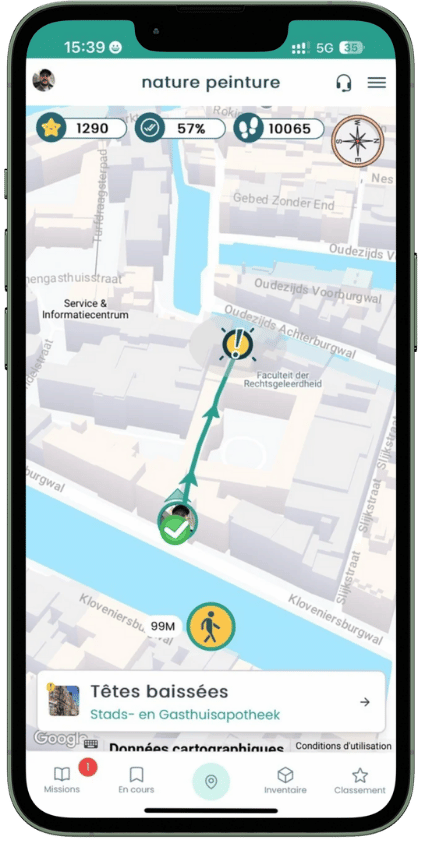
There is no fixed start time. Each team begins once it reaches the starting point: the game is triggered by GPS location. Each team then has its full duration (2 hours by default), even if it starts a few minutes after the others. So you don't have to synchronise everyone down to the second.
Teams and equipment
You put the teams together however you like, in advance or on site. We recommend 5 to 6 students per team: beyond that, sub-groups form and some take part less. The number of team codes is easy to adjust if your numbers change.
Leaderboard and prizes
Depending on your package, the leaderboard is visible live during the game from your dashboard, or available after the game. A real-time leaderboard motivates teams to give their best along the route.
Booking, quotes and invoicing
Yes. We provide you with demo access to explore the app and the dashboard remotely, before any commitment.
Cannot find your answer?
Ask our team directly, or calculate the price of your trip instantly.